Wednesday, October 23, 2013

கணனியில் எவ்வாறு Android தொலைபேசி இயங்குதளத்தை நிறுவுவது

கணனியில் எவ்வாறு Android தொலைபேசி இயங்குதளத்தை நிறுவுவது


1.முதலில் உங்களுடைய கணனியில் VMWare7.1 மென்பொருளை பதிவிறக்கி நிறுவிக்கொள்ளுங்கள்.
2.பின் liveandroidv0.3.iso என்ற மென்பொருளையும் பதிவிறக்கி கொள்ளுங்கள்.


நமது கணனியில் நேரடியாக Android இயங்கு தளத்தை நிறுவ முடியாது, அதனால் நம் கணனியில் இருக்கும் VMWare யில் எவ்வாறு நிறுவுவது என்று கீழே உள்ள காணொளியில் பாருங்கள்.


நிறுவி முடிந்ததும் அதனுள் Super Blue Tooth Hack எனும் மென்பொருளை நிறுவிக்கொள்ளுங்கள்.


தொலைபேசி இயங்குதளத்தை பதிவிறக்க இங்கே clickசெய்யவும்.

VMWare7.1 மென்பொருளை பதிவிறக்க இங்கே clickசெய்யவும்.

VMWare7.1 யின் windows மற்றும்  Linuxக்கான Serial இலக்கங்களை பதிவிறக்க இங்கே click செய்யவும்.
Read more »

Monday, October 21, 2013

Advanced SystemCare Pro 6.2.0.254 ML Final Full Activation | 21 Mb

Advanced SystemCare PRO Edition The World’s Top System Utility for Superior PC Health. Advanced SystemCare PRO (formerly Advanced WinodwsCare Professional) provides an always-on, automated, all-in-one PC Healthcare Service with anti-spyware, privacy protection, performance tune-ups, and system cleaning capabilities. This powerful and award-winning precision tool fixes stubborn errors, cleans out clutter, optimizes internet and download speeds, ensures personal security and maintains maximum computer performance automatically.

Features:
• Designed for the latest Windows system environment. Gives your PC better speed and reliability
• Powerful Hard Drive Defrag and Optimization
• Next-generation Registry Deep Clean and Optimization
• Automated Working in the Background
• Defends PC Security with Extra Protection
• Quick and Extensive Clean-up for Hard Drives
• Keeps Your PC Running at Peak Performance
• Fixes Multiple System Errors

OS : Windows XP, Vista, 7 and 8

Language : Multilanguage [ML]

Home Page - http://www.iobit.com/
Password : No

Download Here :

Via Uploaded.to
Via Letitbit
Via Secureupload
Read more »

48 வேலைகள் செய்யும் ஒரே மென்பொருள்

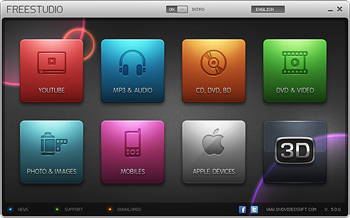
நாம் ஒவ்வொரு வேலைக்கும் ஒரு மென்பொருள்களை பயன்படுத்துகிறோம். இந்த பதிவில் நாம் பார்க்கும் மென்பொருள் 48 வேலைகளை செய்கின்றது. இதுஒரு இலவச மென்பொருள் என்பது குறிப்பிடதக்கது.


இதன் புதிய பதிப்பு Free Studio 2013

இதன் பல்வேறு பயன்பாடுகளை கிழே பார்த்து தெரிந்து கொள்ளவும்.

Free YouTube Download
Free YouTube to MP3 Converter
Free YouTube to iPod and PSP Converter
Free YouTube to iPhone Converter
Free YouTube to DVD Converter
Free YouTube Uploader
Free Uploader for Facebook

Free Video to Android Converter
Free Video to Apple TV Converter
Free Video to BlackBerry Converter
Free Video to HTC Phones Converter
Free Video to iPad Converter
Free Video to iPod Converter
Free Video to iPhone Converter
Free Video to LG Phones Converter
Free Video to Motorola Phones Converter
Free Video to Nintendo Converter
Free Video to Nokia Phones Converter
Free Video to Samsung Phones Converter
Free Video to Sony Phones Converter
Free Video to Sony Playstation Converter
Free Video to Sony PSP Converter
Free Video to Xbox Converter
Free Video to Tablet PC Converter

Free DVD Video Converter
Free Video to DVD Converter
Free Video to Flash Converter
Free 3GP Video converter
Free Video to MP3 Converter
Free Video to JPG Converter
Free Audio Converter
Free Audio to Flash Converter
Free WebM Video Converter
Free MP4 Video Converter
Free AVI Video Converter
Free HTML5 Video Player and Converter

Free DVD Video Burner
Free Disc Burner
Free Audio CD Burner
Free Audio CD to MP3 Converter

Free Screen Video Recorder
Free Image Convert and Resize
Free Video Dub
Free Audio Dub
Free Video Flip and Rotate

Free 3D Photo Maker
Free 3D Video Makerre on facebook
Share on twitterShare on emailShare on printMore Sharing Services
Read more »

Sunday, October 20, 2013

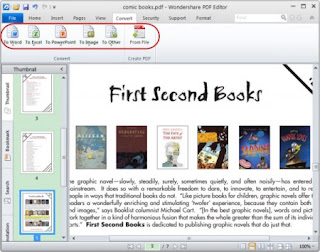
Wondershare PDF Editor 3.1.0.6 Full Activation | 37 Mb


Wondershare PDF Editor lets you not only edit PDF files quickly and easily, but also convert them to Word, PowerPoint, Excel and EPUB files. Additionally, thanks to an available OCR plug-in (sold separately), you can edit and convert scanned PDF files. It??™s everything you need to make last minute changes, rewrite entire sections, edit scanned PDF files, or convert to Office formats for heavy duty editing.

An Ultrafast PDF Editor You Can Afford
??? Edit PDFs Exactly like a Word Processor
??? Convert PDF to Word, PowerPoint, Excel and EPUB (Exclusive!)
??? Edit or Convert Scanned PDFs (Available in OCR plug-in)
??? Secure your PDFs with password protection
??? Merge, split and extract PDF pages with ease
??? Easily add comments, notes and more in PDF
??? Create PDF from Word, PowerPoint, Excel, Text, etc.

Main Features

Free Edit PDF ??“ Just like a Word processor
Applied the User Interface of Microsoft Word, Wondershare PDF Editor makes editing PDF text, images and graphics so easy, as if users are editing a PDF on a Word processor.

Convert PDF to multiple formats
Taking reusing PDF files into consideration, Wondershare PDF Editor comes with the feature of converting PDF files. It is able to convert PDF files to Microsoft Word, Excel, PowerPoint, Text, RTF, images and more.

Edit or convert scanned PDF (Available in OCR Plug-in)
After enabling PDF Editor OCR Plug-in, Wondershare PDF Editor is able to edit and convert scanned PDF files to editable Microsoft Office document, Rich Text format, Text quickly and accurately.

Secure PDF with Password Protection
To protect users??™ PDF files, users are able to set password to protect a PDF from opening and apply permissions to protect PDF files from copying, editing and printing.

Insert, split, and merge PDF files
Users are capable of managing PDF files to fit perfectly. Just go to the Pages menu to insert blank page, PDF file, extract and crop PDF page(s), split a large PDF or merge multiple PDF files.

Comment and annotate PDF files
When reading a PDF file, on Wondershare PDF Editor, it is quite easy to draw attention to PDF text with highlight, underline, and strikethrough, add tickly note, text box, rectangles, clouds, etc.

Home Page - http://www.wondershare.com/
Password : No

Download Here :

Via Uploaded.to
Via Billionuploads
Via Letitbit
Via Secureupload
Read more »

Saturday, October 19, 2013

மைக்ரோசாப்ட் சர்ஃபேஸ் (Microsft Surface)


கணினி சந்தையில் இன்று அதிகமாக விற்பனையாகி கொண்டிருக்கும் ஆண்ட்ராய்ட் மற்றும்
ஆப்பிள் கைக்கணினிகளுக்கு (டேப்லெட்) போட்டியாக நீண்ட ஆராய்ச்சிக்கு பின் மைக்ரோசாப்ட் நிறுவனம் சர்ஃ பேஸ் என்னும் புதிய கைக்கணினியை கடந்த ஜூன் மாதம் வெளியிட்டது. பொது பயன்பாட்டிற்கு வரும் அக்டோபர் மாதம் 26-ஆம் தேதி விற்பனைக்கு வருகிறது மற்றும் இதற்கான முன்பதிவை கடந்த 16-ஆம் தேதி துவக்கியுள்ளது.


டெஸ்க்டாப் மற்றும் மடிக்கணினிகள் விற்பனையில் மைக்ரோசாப்ட் ஆதிக்கம் அதிகம் இருந்தது ஆனால் மொபைல் மற்றும் கைக்கணினி சந்தையில் வெற்றி பெறமுடியவில்லை.
இதனால் நீண்ட இடைவெளிக்குப்பின் விண்டோஸ் 8 இயங்குதளம் மற்றும் பல புதிய தொழில்நுட்பத்துடன் களத்தில் இறங்கியுள்ளது. இந்த முயற்சி மைக்ரோசாப்ட்-க்கு வெற்றியா? இல்லை தோல்வியா? என்று பொறுத்திருந்துதான் பார்க்கவேண்டும்.

இந்த மைக்ரோசாப்ட் சர்ஃ பேஸ் இரண்டு பிரிவுகளில் வருகிறது.
1. மைக்ரோசாப்ட் சர்ஃ பேஸ் RT
2.மைக்ரோசாப்ட் சர்ஃ பேஸ் Pro

முதலில் விற்பனைக்கு வருவது சர்ஃ பேஸ் RT ஆகும்.அடுத்த மூன்று மாதத்தில் சர்ஃ பேஸ் Pro வெளிவரும் என மைக்ரோசாப்ட் தெரிவித்துள்ளது.அது சரி இவை இரண்டிற்கும் என்ன வித்தியாசம் என்று வினவுகிறீர்களா?பயன்படுத்தப்படும் தொழிநுட்பம் மற்றும் அதற்கேற்ற விலை மட்டுமே.இவை இரண்டுக்குமான வித்தியாசம் கீழே கொடுக்கப்பட்டுள்ளது.

சர்ஃ பேஸ் RT

பிராசசர்(நுண்செயலி) - ARM Cortex-A49
மெமரி (நினைவகம்) - 2GB
திரை - 1366 x 768 px 10.6 inches
அகலம் 10.81 அங்குலம் (27.5 செ.மீ)
உயரம் 6.77 அங்குலம் (17.2 செ.மீ)
தடிமன் 0.37 அங்குலம் (9.4 செ.மீ)
மின்சாரம் :31.5 W
கேமரா: 720 பிக்சல் முன்/பின் பக்கம்
எடை : 680 கிராம்
இயங்குதளம் (OS) : மைக்ரோசாப்ட் விண்டாஸ் 8 RT
மெமரி கார்டு : 64 GB SDXCஅதிகபட்ச அளவு

சர்ஃ பேஸ் Pro
பிராசசர்(நுண்செயலி) - இன்டெல் கோர் i 5
மெமரி (நினைவகம்) - 2GB
திரை - அகலம் 10.81 அங்குலம் (27.5 செ.மீ)
உயரம் 6.81 அங்குலம் (17.2 செ.மீ)
தடிமன் 0.51 அங்குலம் (9.4 செ.மீ)
மின்சாரம் :42 W
கேமரா: 720 பிக்சல் முன்/பின் பக்கம்
எடை : 910 கிராம்
இயங்குதளம் (OS) : மைக்ரோசாப்ட் விண்டாஸ் 8 PRO
மெமரி கார்டு : 128 GB SDXCஅதிகபட்ச அளவு


கீபோர்ட் எளிதாக ஒட்டி எடுக்க கூடிய வகையில் விளிம்புகளில் காந்தங்களை கொண்டு வடிவமைக்கப்பட்டுள்ளது. இவை பல வண்ணங்களில் கிடைக்கிறது.


பின் புறம் கைக்கணினியை நிமிர்த்தி வைத்து தாங்கி பிடிக்க ஒரு நிருத்தியை(stand) இணைத்து வைத்துள்ளனர்.


மைக்ரோசாப்ட் சர்ஃ பேஸ் RT யின் விலை $499 டாலர் ஆகும் இதனுடன் இந்த கீபோர்டையும் சேர்த்து வாங்கினால் $119 டாலர் கூடுதல் செலவாகும். இதை விட குறைந்த விலையில் கிடைக்கும் ஆண்ட்ராய்டு கைக்கணினிகளுடன் போட்டியிட்டு கணினி சந்தையில் தன்னை நிலைநிறுத்தி கொள்ளுமா என்று பொறுத்திருந்துதான் பார்க்கவேண்டும்.
Read more »

Friday, October 18, 2013

Safe Mode (Safe Boot) எனப்படும் பாதுகாப்புமுறை தொடக்கம் என்றால் என்ன?

Safe Mode என்ற வார்த்தையை விண்டோஸ் கணினிகளை பயன்படுத்தும் நபர்கள் அனைவரும் அறிந்திருப்பார்கள். Safe Mode என்றால் என்ன, எப்படி அதற்குள் நுழைவது, அதில் என்ன செய்யலாம் போன்ற தகவல்களை இந்த பதிவில் காணலாம். 
Pull oneself up by the bootstraps என்று முதலில் சொல்லப்பட்டு, பின் bootstraps என்றும் பின் boot எனவும் மாறியது. நிறுத்தப்பட்ட கணினி தொடங்கப்படுவதை cool boot எனவும், இயங்கிக் கொண்டிருக்கும் கணினியை மீளத் தொடக்குவதை அதாவது reset செய்வதை warm boot (ctrl+alt+del) என்றும் சொல்லப்படுகிறது. Cool Boot, Warm Boot தவிர Safe Boot, Clean Boot, multi boot, dual boot, ready boot, fast boot என பலவகை உண்டு.
கணினியை பயன்படுத்தும் நமக்கு safe mode என்பதை சொல்ல வேண்டிய அவசியம் கிடையாது. எனினும் அதிகம் அறியாதவர்களுக்காக சில தகவல்கள்.சில தவறுகள் (errors), தடைகள் (hangs,freezes) வரும் போது நாம் உடனே செல்வது கணினி மீள்தொடக்கம் (Restart) அல்லது பாதுகாப்பான தொடக்கம் (safe boot/safemode) தான். சேவ் மோட் என்று சொல்லும் போது கணினி இயங்க முக்கியமாக தேவைப்படும் சில தொடக்க நிரலிகளுடனும் ட்ரைவர்களுடனும் (startup program+device driver) கணினியை தொடக்குவது ஆகும். கணினியை மீள் தொடக்கும் போது F8 என்பதை தொடர்ந்து அழுத்துவதால் வரும் option இல் இவற்றைக் காணலாம். அல்லது கணினி தொடங்கியதும், மின்சார இணைப்பை துண்டித்து பின் தொடக்கும் போது, சாதாரணமாக தொடக்குவதா சேவ் மோடா என பல கேள்விகளுடன் ஒரு option வரும். இதைவிட இன்னொரு முறை start-run (search) இல் msconfig என்பதை தட்டச்சிட்டு வரும் விண்டோவில் safemode ஐத் தெரிவு செய்து மீள் தொடக்கலாம். Safe Mode இன் போது கீழ்க் கண்டவை செயலில் இருக்காது.
+autoexec.bat or config.sys files
+device drivers
+normal graphics device driver ற்குப் பதில் standard VGA graphics mod ஐப் பயன்படுத்தும்.
+standard system.ini file ற்குப் பதில் system.cb பயன்படுத்தும்.
+ 640 x 480 resolution உடன்16 நிறங்களைப்(colors) பயன்படுத்தி நான்கு மூலைகளிலும் Safe Mode எனக் காட்டும்.
windows-safe-mode-desktop
இந்த safe mode இல் Safe Mode, Safe Mode with Networking, Safe Mode with Command Prompt என மூன்று பிரிவுகள் உண்டு. safe mode என்பது சாதாரணமாக( basic Safe Mode ) கணினியில் ஏற்படும் தவறுகளைக் கண்டறியலாம். இரண்டாவது safe mode இல் சென்று இணையத்துடன் தொடர்பை ஏற்படுத்தி தவறுகளைக் கண்டறியலாம். அதே சமயம் தேவையான ட்ரைவர்களை, அப்டேட்களை, சில அழிந்து போன கோப்புகளை(dll files -மால்வெயர்,வைரஸ் இருக்கக்கூடும் என்பதால் தரவிறக்குவதில் கவனம் தேவை) அங்கே இருந்து கொண்டே தரவிறக்கி சரி செய்யவும். மூன்றாவது safe mode இல் இருந்து கொண்டே command line இல் (DOS mode) சென்று தவறுகளை கண்டறியலாம். இதில் சில உத்தரவுகளை (chkdsk,sfcscan,disk dir….இப்படி) கொடுத்து சரி செய்யவும் வழி செய்கிறது. (மொபைல்களில் உள்ள safe mode இல் ஆரம்பத்தில் இருந்த நிலைக்கு கொண்டு சென்று சரி செய்ய, தவறாக இணைக்கப்பட்ட மென்பொருள், apps களின் settings சரி செய்து திருத்த, பாதுகாப்பிற்காக புதிய app ஐ இணைக்க என உதவுகிறது.)
இது தவிர சில மென்பொருட்கள்,பிரவுசர்களிலும் safe mode தவறுகளைக் கண்டறிந்து சரி செய்ய பயன்படுத்தப்படுகிறது.
இந்த சமயத்தில் Boot பற்றி இன்னொரு தகவலையும் உங்களுக்காக தருகிறேன். விண்டோஸ் கணினிகளில் சிலர் XP, Vista, Win7, Win8 இப்படி பல இயங்குதளங்களை நிறுவி, multiboot/dual boot, முறையில் பயன்படுத்துவார்கள். புதியவர்கள் இப்படி நிறுவும் போது சில பிரச்சனைகளை எதிர்நோக்குவார்கள். கணினியில் XP கணினிகளில் வின் 7/8 ஐ அல்லது Wndows 7 கணினியில் XP ஐ நிறுவி விட்டு boot செய்யும் போது ஏதாவது ஒரு இயங்குதளம் காணாமல் அல்லது boot ஆகாது போய்விடும்.Windows 7 கணினியில் Old Windows என ஒரு தனியான போல்டரில் சேமிக்கப்படுகிறது. இப்படி ஏன் வருகிறது?
விஸ்டாவிற்கு முந்தைய அதாவது Windows NT ஐ அடிப்படையாகக் கொண்ட(Windows XP போன்ற) இயங்குதளங்களில் NTLDR (New Technology Loader ) முறையில் boot செயல்படுத்தப்பட்டுள்ளது. இந்த முறைக்குப் பதிலாக Windows 7 இல் (Windows Boot Manager + winload.exe முறை அறிமுகப்படுத்தப்பட்டுள்ளது. NTLDR ஐ Windows 7 ஐ தொடக்க முடியாதது தான் காரணமாகும். இதற்கு நாமாக சிறிது மாற்றம் கொண்டு வர வேண்டும்.


Read more »

Wednesday, October 16, 2013

KASPERSKY ஆன்டிவைரஸினை இலவசமாக பயன்படுத்துவது எப்படி?

கணினி உலகின் சிறந்த ஆன்டிவைரஸ் தொகுப்பான KASPERSKY ஆன்டிவைரஸினை இலவசமாக பயன்படுத்துவது எப்படி என்று தான் இந்த பதிப்பு.

கணினியில் வைரஸின் தாக்கம் இல்லாமல் பாதுகாக்க தான் ஆன்டிவைரஸினை பயன்படுத்துகிறோம். ஆனால் அந்த ஆன்டிவைரஸினை பெற அதிக தொகையை செலுத்த வேண்டியுள்ளது. அப்படியே இலவச தொகுப்பினை பயன்படுத்தினாலும் அது அந்த அளவிற்கு கைக்கொடுப்பது இல்லை. அதே மாறி அப்டேட் செய்வதிலும் KASPERSKY ஆன்டிவைரஸ் சிறந்தது. மிக சிறிய சிறிய பைலாக அப்டேட் செய்துக்கொள்கிறது.
இந்த ஆன்டிவைரஸினை இலவசமாக பெற முதிலில் இதன் TRIALயை டவுண்லோட் செய்துக்கொள்ளுங்கள். DOWNLOAD TRIAL இந்த லிங்கை பயன்படுத்தி டவுண்லோட் செய்துக்கொள்ளுங்கள். பின்னர் KASPERSKY TRIAL VERSIONயை தங்களின் கணினியில் இன்ஸ்டால் செய்துக்கொள்ளுங்கள். இந்த சிரியல் கீ பைல்களையும் டவுண்லோட் செய்துக்கொள்ளுங்கள். இது தான் முக்கியம் மிகவும்.DOWNLOAD SERIAL KEYS.
பின்னர் தங்களின் தங்களின் கணினியில் இண்டர்நெட் இணைப்பினை துண்டித்துவிட்டு விடுங்கள். பின்னர் KASPERSKYஆன்டிவைரஸ் தொகுப்பினை இயக்குங்கள், அதில் ACTIVATION PRODUCT என்பதினை கிளிக் செய்யவும். தற்போது ஓர் விண்டோ தோன்றும். அதில் கீழ்காணும் சிரியல் கீயினை காப்பி செய்து பேஸ்ட் செய்யவும். உதவிக்கு படத்தினை காணவும், பின்னர் NEXT என்பதனை கிளிக் செய்யவும்.


தற்போது தோன்றும் விண்டோவில் கீ பைலினை தேடவும் என குறிப்பிடப்படும். தற்போது நீங்கள் செய்ய வேண்டியது தான் முக்கியம். BROWSE என்பதனை கிளிக் செய்து நீங்கள் டவுண்லோட் செய்த சீரியல் கீ பைல்களை தேர்வு செய்யவும்.
பின்னர் NEXT  என்பதினை கிளிக் செய்யவும். அவ்வளவு தான் முடிந்தது. KASPERSKY ஆன்டிவைரஸினை தொகுப்பினை இலவசமாக பயன்படுத்தலாம்.....


Read more »

Monday, October 14, 2013

Your Uninstaller! Pro 7.5.2013.02 DC 25.04.2013 Full Activation | 6 Mb

Your Uninstaller! uninstaller software is the industry's leading uninstaller software. It's the world's 1st smart Drag&Uninstall™ uninstaller software under the Windows platform, works on Windows 7/ Vista/ XP/. It's as easy as using the recycle bin. Imagine! Just a drag-drop and the program you don't want will disappear from your computer - as well as everything the unwanted program brings! Your Uninstaller! is a user-friendly way of removing unneeded applications on your computer. It can even remove some annoying spywares!

Your Uninstaller! software is a specially designed uninstaller program for both beginning and advanced users. Your Uninstaller! is extremely very fast and easy to use. It has a unique ability to uninstall items by simply dragging programs' icons into the Your Uninstaller! icon. You may also find the application you want to uninstall through a unique search function.

Your Uninstaller! completely removes applications so quickly. Your Uninstaller! starts up 500%-1000% times faster than other Add/Remove programs. As you know, there are many installers in the world, such as InstallShield, Wise Installer, Microsoft Installer and many others. Most applications are built using these installers. Each installer has a unique install database, which makes it difficult to find all the changes programs' make to your computer. That's why other uninstallers can only uninstall part of an application-leaving some files and registry keys.

To solve this problem, Your Uninstaller! uses it's unique technique: SmartUninstall™ has a database containing information about all installers on the market; so when it uninstalls a program, it automatically detects which installer the application used, then it simply uninstalls the application properly. That's the reason Your Uninstaller! can detect and completely remove all the programs and icons on your computer.

Key features:
• Completely remove any application installed.
• Deep scan of registry and entire disk for unused registry entries and files.
• Remove programs that could not be removed by Add/Remove Program.
• Uninstall screen savers. [PRO]
• Remove internet surfing traces.
• Backup and restore registry.
• Registration key management.
• Built-in Disk Cleaner helps you find and remove unnecessary files on your disk to save space and make computer faster! [PRO]
• Built-in IE Context Menu Cleaner, cleans the context menu of Internet Explorer. [PRO]
• Built-in Startup Manager, take full control of Window startups. [PRO]
• Fix invalid desktop shortcuts and start menu shortcuts.
• Get the applications detail info even if it hide itself in deep directory, especially useful for finding out "Spy" applications. [PRO]
• Backup/restore installed-applications information.
• Uninstall with SINGLE drag-drop! Just drop a file on Your Uninstaller! icon on the desktop to see what happens! [PRO]
• List installed applications with appropriate icons(same as you see in the Start Menu), you can easily find the application you want to uninstall.
• Powerful search feature allows you quickly find the program you are about to uninstall.
• Automatic detection of invalid installations and removing them with one click.
• Force removal of uninstall related entries in the registry(care to use!). [PRO]
• Lighting speed at startup, 5-10 times faster than Add/Remove Program of Windows XP!
• Export programs list to file or printer.
• More ...

Home Page - http://www.ursoftware.com/uninstaller.htm
Password : No

Download Here :
  1. Via Uploaded.to
  2. Via Tusfiles
  3. Via Secureupload
Read more »

Sunday, October 13, 2013

Windows Experience Index (Windows Rating) என்பது என்ன?

விண்டோஸ் கணினியின் performanceஐ அளவிட Windows Experience Index (Windows Rating) என்கிறார்கள். இந்த Rating வன்பொருள்,மென்பொருள் வேலை செய்யும் திறனை CPU, RAM, GPU, Hard Disk உடன் சேர்த்து கணக்கிட்டு தரப்படுகிறது. இது ஒரு கணினியின் செயல்பாட்டை பொறுத்து மதிப்பிடப்படுகிறது. இது பற்றிய விவரங்களை இந்த பதிவில் காண்போம்.
இதை நீங்கள் கணினியில் Start -> Control Panel –> Performance Information and Tools அல்லது system -> Windows Experience Index இங்கே சென்று பார்க்க முடியும்.
புதிய மென்பொருள்/வன்பொருள் கணினியில் இணைக்கும் போது புதிதாக reset செய்தால், rating சரி செய்யப்பட்டு புதிய அளவு காட்டப்படும். அங்கே basicScore, subscore என இரண்டு அளவுகள் காட்டப்படும். subscore இன் குறைந்த அளவு basicScore இல் காட்டப்படும். கணினி வாங்கும்போது முக்கியமாக ஏற்கனவே பயன்படுத்தப்பட்ட  கணினிகளை வாங்கும் போது இந்த rating ஐக் கவனித்து வாங்கலாம். ஆனாலும் அவை நிச்சயம் சரியாக இருக்கும் என்று சொல்ல முடியாது. காரணம் படத்தைப் பாருங்கள். சாதாரண பழைய கணினியில் 1.0 என்ற basicScore ஐ 7.9 ஆக மாற்றி அமைக்கப்பட்டிருக்கிறது.
நமது அரசின் நிதி அமைச்சர் பாராளுமன்றத்தில் நிதி நிலை, வேலை வாய்ப்பு, பொருளாதார வளர்ச்சி என பல நல்ல தகவல்களை புள்ளி விபரங்களுடன் தெரிவிப்பார். சில தினங்களின் பின்னர் அதிகாரிகளும் பொருளாதார நிபுணர்களும், நாம் தலையில் கையை வைக்கும் அளவு மோசமான தகவல்களைத் தருவார்கள்.அது போல் நாம் எதையும் எப்படியும் மாற்றி அமைக்க முடியும் என்பதைக் கவனத்தில் கொள்ள வேண்டும். இவை எல்லாம் Man Made. God Made அல்ல.
இந்த Rating முறை 1 இல் இருந்து 7.9 வரை உள்ளது. 64 பிட் இல் 4 GB Ram ற்கு கீழிருந்தால், Basicscore 5.9 ஆக அதி கூடிய அளவாகக் காட்டப்படும். ஓரளவு பயன்படுத்தப்பட்ட சாதாரண கணினியில் 2.0 – ஆக இருந்தால் பொதுவான அனைத்து வேலைகளுக்கும் ஏற்றதாக இருக்கும். 3.0 என்பது Windows 7 இல் Nero வுடன் சாதாரண வேலைகளுக்கு ஏற்றதாக இருக்கும். 5.0 என்பது Windows 7 புதிய முறைகளைப் பயன்படுத்தவும், multi-taskingக்கு ஏற்றதாகவும், 7.0 என்பது கிராபிக், விளையாட்டு போன்ற உயர்ந்த வேலைகளுக்கு ஏற்றதாகவும் இருக்கும். இதற்குப் பொருள், பிரச்சனைகள் இன்றி நன்றாக வேலை செய்யும் என்பதே தவிர, அவற்றிற்கு குறைந்த அளவு Rating உள்ளவை வேலை செய்யாது என்பது பொருள் அல்ல. subscore களின் அளவைப் பார்த்து, குறைவாக உள்ளவற்றை upgrade செய்வதன் மூலம் basicScore இன் அளவை உயர்த்தலாம்.
மேலே உள்ள படத்தில் HardDisk என்ற வன்தட்டு 5.9 என குறைந்த அளவில் காட்டப்பட்டு, subscore உம் அதே குறைந்த அளவைக் காட்டுகிறது. மற்றவை நன்றாக இருக்கிறது. விரும்பினால் புதிய வன்தட்டு ஒன்றை மாற்றலாம். அப்படி மாற்றும்படி சொல்வதைவிட ஏன் ஏற்படுகிறது என்பதை தெரிந்து கொள்வது சிறந்ததாகும்..
வன்தட்டு என்பது case, drive motor, platters, drive heads, logic board இவற்றால் ஆனது. அடிக்கடி format செய்வது, அடிக்கடி OS களை மாற்றுவது, இவற்றால் Track, Sector track, Sector, Cluster களில் ஏற்படும் பிழைகள், defragmentation செய்யாமல் விடுவது, chkdsk செய்யாது விடுவது போன்றவற்றாலும், கணினி, மடிக்கணினி உள்ளே தூசிகள் தங்கி விடுவதாலும் இந்தப் பிழைகள் ஏற்படுகிறது. அதிக தூசிகள் கணினிக்குள் தங்கி விடுவதால், அதிக வெப்பம் ஏற்படுவதும், தூசி அடைத்துக் கொள்வதால் cooling fan,CPU-Heatsink, GPU fan, Hard Disk, CD/DVD Drive வேலை செய்யாமல் விடவோ அல்லது வேலை செய்யும் தரத்தைக் குறைக்கவோ செய்யும். அத்துடன் உள்ளே வெப்பம் அதிகரித்து மிக குறைந்த மின்சாரத்தில் இயங்கும் பகுதிகள் பழுதடைகின்றன.
இதைவிட வன்தட்டு, CD/DVD/USB/SD Card இவை ஒவ்வொன்றும் வேவ்வேறான முறையில் read and write செய்யப்படுவதுடன் வேகமும் வேறுபடுகிறது. உதாரணமாக IDE,SATA வை விட SSD hard drive முற்றிலும் வேறுபட்ட முறையில் இயங்குகிறது. Rating இல் subscore வன்தட்டின் வேகத்தையும் megabytes per second கணக்கில் எடுத்துக் கொள்கிறது. இவை எல்லாம் தான் குறைந்த rating ற்கு காரணம். அதனால் வன்தட்டை மாற்றுவதை விட மேலே சொன்னவற்றை கவனிப்பதாலும் சரி செய்யலாம்.
வன்தட்டின் வெப்பம் 25 – 50 டிகிரி செல்சியுஸ்ற்குள் இருக்க வேண்டும். 50ற்கு மேலானால் உட்பகுதிகளை பழுதடையச் செய்யும். (CPU/GPU 40 -65 டிகிரி செல்சியுஸ் ற்குள் இருப்பது சிறந்தது.) அதிக வெப்பநிலை ஏற்படுமானால், மேலதிகமாக ஒரு cooling Fan ஐ இணைத்துக் கொள்ளலாம்.
இந்த Ratingஐ வைத்து ஒரு கணினியின் செயல்பாட்டை அறிந்து கொள்ளலாம். இதன் மூலம் உங்களுக்கு என்ன வேலைக்கு நீங்கள் கணினி வாங்க போகிறீர்கள் என்பதை பொறுத்து கணினியை தெரிவு செய்ய முடியும்.


Read more »

Saturday, October 12, 2013

MS Officeக்கு மாற்றாக சில இலவச மென்பொருட்கள்

நாம் அனைவரும் MS Office தான் அதிகமாக உபயோகிக்கிறோம். நாம்  Project செய்யும் பொழுதோ அல்லது presentation செய்யும் பொழுதோ MS Office ஐ தான் பெரிதும் சார்ந்து இருக்க வேண்டியுள்ளது. ஆனால் இறுதி கட்டத்தில் MS Office இல் ஏதாவது பிரச்சனை என்றாலோ அல்லது நாம் பயன்படுத்த வேண்டிய கணினியில் MS Office இல்லாவிட்டாலோ பிரச்சினை தான். அதை தவிர்க்க, தரவிறக்கம் செய்யவும் குறைந்த அளவில் இலவசமாக கிடைக்கும் சில மாற்று மென் பொருட்கள் குறித்து பார்ப்போம்.

உபயோகப்படுத்துவதற்கு மிகவும் எளிதானது, முற்றிலும் இலவசமானது, MS Office கோப்புகளை இதில் எந்த Extension மாற்றமும் செய்யாமல் ஓபன் செய்யலாம். இதுவும் ஒரு Open Source மென்பொருள்.
அதிக Tool களை கொண்டது இந்த மென்பொருள், பயன்படுத்துவதற்கு எளிதானது, நிறைய  Tool களை கொண்டதால் பயன்பாடும் அதிகம். முற்றிலும் இலவசமானது. மொத்தம் மூன்று பயன்பாடுகளை உள்ளடக்கியது. Lotus Symphony Documents, Lotus Symphony Spreadsheets and Lotus Symphony Presentations.
குறிப்பிடத்தக்க மற்ற சில இலவச மென்பொருட்கள்:
தவறாமல் இதில் எதோ ஒன்றை Back up ஆக வைத்துகொள்ளுங்கள்.
ஆன்லைன் ஆபீஸ் டூல்ஸ் :
தரவிறக்கம் செய்யவெல்லாம் எனக்கு நேரம் இல்லை, என்ன செய்வது என்று கேட்பவர்கள் இந்த ஆன்லைன் டூல்களை பயன்படுத்தலாம்.
Word processor, Spreadsheet, மற்றும் Presentation போன்றவற்றை இதன் மூலம் ஆன்லைனில் செய்து கொள்ளலாம். அத்தோடு Business Cards, Resumes, Calendars and Tables போன்றவற்றுக்கு நூற்றுக்கும் மேற்ப்பட்ட Template-கள் உள்ளன. இதை பயன்படுத்த ஜிமெயில் அக்கௌன்ட் மட்டும் போதும்.
2. Zoho
இது Word Document, Spreadsheet, மற்றும் Presentation போன்றவற்றை தனிப்பட்ட தேவைக்கு இலவசமாக ஆன்லைன் மூலம் உருவாக்க அனுமதிக்கிறது. இதற்கு நீங்கள் இந்த தளத்தில் கணக்கு வைத்திருக்க வேண்டும்.
Read more »

Sunday, October 6, 2013

Camfrog Video Chat 6.5.270 Freeware | 7 Mb

The most popular live webcam chat community. Over 30 million downloads and millions of registered users. If you're sick of hopping from one chatware program to another, looking for the perfect mix of video, audio, and text socializing, CamFrog might be what you're looking for. Camfrog Video Chat allows you to join real streaming video chat rooms where you can hear, see, and chat with many people at a time. Instant message a user to get to know them before you Webcam chat, and add them to your contact list. This videoconferencing software also works behind most firewalls and routers. Camfrog Video Chat allows multi-user videoconferencing where you can join a room with up to 1000 users and just click a user name to begin seeing someone.

Press the 'talk' button to talk to the entire room with audio. The video chat rooms are hosted by broadband users who are running the Camfrog Video Chat Room Server software so any user can set up their own multi-user videoconference for other users to join. No Webcam is required to see people, but some rooms might not allow users without Webcams. Camfrog Video Chat is optimized for broadband users so it has fast video.

The chat rooms feature everything from music lessons to sign language to non-English chatting, and integrating video, audio, and text components are a great leap forward for chat communities since a Webcam is not a requirement. Be warned, though: There's also a slew of X-rated chat rooms--this is not a program that kids should use without supervision.

The interface should be familiar to anyone who has used any messaging software. You can create your own chat room and password-protect it, and the Contacts list has a section for favorite rooms and one-click contact adding, user searching, and profile management. New in Version 5 is high-resolution video support, interface tweaks, and the ability to send little "virtual gifts" to both friends and anonymous recipients that borders on the annoying.

Cautious users should note that the install includes several toolbars and a Weather Channel widget, which you can opt out of. Despite those drawbacks, if you're looking for a well-trafficked video chat program that serves a diverse community, CamFrog is cool place to land.

    * Make free live audio & video calls world-wide
    * Join live webcam chat rooms or host your own for free
    * Blazing fast streaming video and amazing audio quality
    * A live webcam user photo directory makes it easy to meet new people

www.camfrog.com
Password : No

Download Here :
  1. Via Uploaded.to 
  2. Via Tusfiles 
  3. Via Swecureupload 
Read more »

Wednesday, October 2, 2013

Free Video Call Recorder for Skype 1.1.1.426 Freeware | 19 Mb

With its help one may record calls in the following modes:
- picture-in-picture (the program records audio and video of all sides of the conversation);
- only video of other sides;
- only audio (all sides).

www.dvdvideosoft.com
Password : No

Download Here :
  1. Via Uploaded.to 
  2. Via Tusfiles 
  3. Via Secureupload 

Read more »

Monday, September 30, 2013

SMS மூலம் Email பெற...

உங்களுக்கு வரும் இமெயில்களை SMS ஆக பெறலாம். நீங்கள் செட் செய்த மின்னஞ்சல் முகவரியிலிருந்து வரும் அனைத்து புதிய மின்னஞ்சல்களும் உடனுக்குடன் SMS ஆக உங்கள் மொபைலை வந்தடையும். 

ஜிமெயிலில் உங்களுக்கு வரும் மின்னஞ்சல்களை எஸ்.எம்.எஸ். ஆக பெறும் வழிமுறைகளை இப்பதிவில் தெரிந்துகொள்ளவிருக்கிறோம்.

நீங்கள் ஒரு ஜிமெயில் பயனாளர் எனில் உங்களுடைய செல்போனுக்கே புதிய இமெயில் செய்தியை SMS ஆக பெற முடியும். உங்களுக்கு வரும் முக்கியமான மின்னஞ்சல்களை (நீங்கள் குறிப்பிடும் மின்னஞ்சல் முகவரியிலிருந்து) மட்டும் SMS மூலம் பெறும் வழிமுறைகளைப் பார்ப்போம்.
செட்டிங்ஸ் 1: 
  • உங்கள் ஜிமெயில் கணக்கில் உள் நுழைந்து (login) கொள்ளுங்கள்
  • செட்டிங்ஸ் ஐகானை அழுத்தி Settings செல்லுங்கள்..
  • செட்டிங்ஸ் பகுதி திறந்ததும் லேபிள் செல்லுங்கள்.  sendsms என்ற புதிய லேபிள் ஒன்றை உருவாக்குங்கள். 

  • அடுத்து "பில்டர்" Filter அழுத்தி புதிய பில்டர் (Create)ஒன்றை உருவாக்கிக்கொள்ளுங்கள். அதற்கு, 
  • பில்டர் படிவத்தில் இரண்டு முக்கியமான விடயங்களைச் செய்ய வேண்டும். 
  • 1. ஃபில்டர் ப்ரம் (Filter From) என்பதில் நீங்கள் எதிர்பார்க்கும் முக்கியமான மின்னஞ்சல் முகவரியை மட்டும் தட்டச்சிட்டு, நிரப்புகள்.
    2. Has the word என்ற கட்டத்தில் is:inbox என தட்டச்சிட்டு இறுதியில் உள்ள create filter with this search என்பதை  கிளிக் செய்யுங்கள்.
    • பிறகு அப்ளை தி லேபிள் (apply the label) என்பதை டிக் மார்க் ஏற்படுத்திக்கொண்டு, இறுதியில் Create Filter என்ற பட்டனை அழுத்தவும். 

செட்டிங்ஸ் 2: 
  • அதற்கு அடுத்து Google Docs ல் உள் நுழையுங்கள்.. 
  • பிறகு இதை கிளிக் செய்து யெஸ் மேக் ஏ காபி (Yes, make a copy)என கொடுக்கவும். 
  • அப்பக்கத்தில் Tools ==> Script Editor செல்லுங்கள். அதில் Resources==>current Current Projects Tiggers என்பதை அழுத்துங்கள்.
  • தோன்றும் பக்கத்தில் click here to add one now என்பதை அழுத்தி From Spreadsheet என்றிருப்பதை  Time-Driven என்று மாற்றுங்கள். 
  • அடுத்து Hour, Timer என்றிருப்பதை Minute Timer என மாற்றிவிடுங்கள். 
  • இறுதியாக Save கொடுத்துவிடுங்கள். இப்பொழுது Authorzie கேட்கும். கன்டினியூ கொடுத்து access செய்யுங்கள்.. 
  • அதற்கு அடுத்து கூகிள் காலண்டர் செல்லுங்கள். அதில் மொபைல் செட்டப் (Mobile Setup) என்பதைச் சொடுக்கி, phone number என்பதில் உங்களுடைய செல்போன் நம்பரைக் கொடுக்கவும். 
  • பிறகு Send verification code என்பதை அழுத்துங்கள். அடுத்த ஒரு சில விநாடிகளில் உங்களுடைய செல்போன் நம்பருக்கு வெரிபிகேஷன் கோட் வரும். அதை வெரிபிகேஷன் கோட் கட்டத்தில் கொடுங்கள். 

அவ்வளவுதான்..

இனி நீங்கள் குறிப்பிட்ட மின்னஞ்சல் முகவரியிலிருந்து ஏதேனும் புதிய மின்னஞ்சல் அனுப்பட்டால் ஐந்து நிமிடத்தில் உங்களுக்கு SMS Alert ஆக அந்த மின்னஞ்சல் உங்கள் மொபைலுக்கு வந்து சேரும்.

மிகவும் பயனுள்ள இப்பதிவை மற்றவர்களுக்கு பகிர்ந்துகொள்ளுங்கள்.. உடனடியாக அவர்களுக்கு மின்னஞ்சலை SMS மூலம் பெற உதவியாக இருக்குமே.. !!


Read more »

Sunday, September 29, 2013

அழிந்துபோன சிம்கார்ட் தகவல்களை மீட்டெடுக்க..

சிம்கார்டிலிருந்து தவறுதலாக அழிக்கப்பட்ட தகவல்களை மீட்டெடுக்க பல்வேறு வகையான மென்பொருள் பயன்படுகின்றன.

GSM மொபைல் போன்களில் போன் மெமரி மட்டுமல்லாமலும் சிம்கார்டிலும் தகவல்களை சேமிக்க முடியும் என்பது உங்களுக்குத் தெரியும். சிம்கார்டில் சேமிக்கக்கூடிய தகவல்கள்: 

1. Call History
2. Phone Book Numbers
3. SMS

இதுபோன்ற தகவல்களை தேவையில்லை என அழித்திருப்பீர்கள். அல்லது தவறுதலாக அழிக்கப்பட்டிருக்கும். 
அழிக்கப்பட்ட தகவல்களிலிருந்து ஒன்றிரண்டு போன் நம்பர்களோ அல்லது கால் ஹிஸ்டரியிலிருந்து உங்களுக்கு ஏதேனும் ஒருசில தகவல்கள் தேவைப்படும். ஆனால் அந்த சமயத்தில் அத்தகவல்களைத் திரும்ப பெற வழியின்றி தவித்திருப்பீர்கள். 

அதுபோன்ற சூழலில் உங்களுக்குப் பயன்படக்கூடியவைதான் SIM Card Data Recovery மென்பொருள்கள்.

இதுபோன்ற சிம்கார்ட் டேட்டா ரெகவரி மென்பொருள்களை பல்வேறு நிறுவனங்கள் தயாரித்து வழங்குகிறது.

ஃப்ரீ டவுன்லோட்ஸ் சென்டர் என்ற தளத்தில் இதுபோன்ற பல மென்பொருள்கள் மிகுந்து கிடக்கின்றன.

அவற்றில் சிம்கார்ட் டேட்டா ரெகவரி, சிம்கார்ட் ரெகவரி டூல், சிம் ரீஸ்டோர், சிம்கார்ட் கான்டாக்ட் ரெகவரி சாப்ட்வேர், சிம்கார்ட் கான்டாக்ட் ரெட்ரைவல் டூல், ரெகவர் யுவர் சிம்கார்ட், சிம் ரெகவரி, எஸ்.எம்.எஸ். ரெகவரி யுட்டிலிட்டி, ரெகவர் டெலீட்டட் எஸ்.எம்.எஸ், ரிகவர் சிம்கார்ட் போன்ற இருபதுக்கும் மேற்பட்ட மென்பொருள்கள் உள்ளன.


ஒவ்வொரு சிம்கார்ட் ரிகவரி மென்பொருளைப் பற்றியும், அந்த மென்பொருளுக்குரிய நிறுவனம் அல்லது மென்பொருள் கிடைக்கக்கூடிய தளத்தைப் பற்றிய விளக்கங்களும் அத்தளத்தில் குறிக்கப்பட்டுள்ளன. 

உங்களுக்கு விருப்பமான மென்பொருளை அதிலிருந்து தரவிறக்கம் செய்து, அத்தளத்தில் கூறப்பட்ட வழிமுறைகளைப் பின்பற்றி நீங்கள் உங்கள் சிம்கார்டில் அழிக்கப்பட்ட தகவல்களை மீட்டெடுக்கலாம்.

மென்பொருள் பற்றிய மேலதிக தகவல்களுக்கு நீங்கள் செல்ல வேண்டியமுகவரி: Free Downloads center

முக்கிய குறிப்பு: மென்பொருள்கள்பற்றிய நம்பகத்தன்மை மற்றும் பாதுகாப்பு குறித்த தகவல்களை நன்றாக படித்தறிந்த பிறகு தேவையான மென்பொருளை டவுன்லோட் செய்யவும்.


Read more »