Showing posts with label Windows. Show all posts

Thursday, January 2, 2014

இன்றைய உலகம் இவர்களால்

இன்றைய உலகை கணினியே ஆள்கிறது. காய்கறி விறபனைகூட கணினியால்தான். மனித இன வளர்ச்சியில் தாம்ஸ் ஆல்வா எடிசன் தந்த மின்சாரம் முதல் மாற்றத்தைத் தந்தது. அதனையொற்றியே உலகம் இயங்கவேண்டிய கட்டாயம் ஏற்பட்டது. இயந்திரங்கள் உருவாக்கப்பட்டு தொழிற்புரட்சி நடந்தது. இதற்கடுத்தாற்போல மின்னணு சாதனங்கள் உருவாயின. இதன் உச்சமாக இன்று உலகமே கணினிமயமாகிவிட்டது. இந்தத் தொழில் நுட்பத்தை கைக்கொண்டு சாதனை படைத்தவர் களாகவும், இன்றைய உலகில் தவிர்க்க முடியாத, தெரிந்து கொள்ளவேண்டியவர்களாவும் இருக்கிற சிலரைப் பார்க்கலாம்.
ஸ்டீவ் ஜாப்ஸ் (Steve Jobs)
ஆப்பிள் கணினி நிறுவனர்களுள் ஒருவர். மிகச் சிறிய அளவில், கைகளில் எளிதாக வைத்துக் கொள்ளும் வகையில் ஆப்பிள் அய் போன் (iPhone), அய் போட் (iPod), அய் பேட் (iPad) ஆகியவற்றை உருவாக்கியவர். கணினித் தொழிலில் இவரது இந்தத் தயாரிப்புகள்தான் இன்று உலகச் சந்தையில் பல்லாயிரம் கோடிப் பணத்தை அள்ளிக்குவித்துக் கொண்டிருக்கிறது.
1955 பிப்ரவரி 24ல் அமெரிக்காவின் சான் பிராசிஸ்கோவில் பிறந்த இவர் கடந்த ஆண்டு (2011) அக்டோபர் 5ல் மறைந்தார். இவர் கல்லூரிப் படிப்பை பாதியில் விட்டவர் என்பது குறிப்பிடத்தக்க செய்தி.
பில் கேட்ஸ் (Bill Gates)
மைக்ரோ சாஃப்ட் கணினி நிறுவனத்தை நிறுவியவர். உலகெங்கும் பல கோடிக்கணக்கான இல்லங்கள், அலுவலகங் களில் இவரது கணினிகள் தான் இயங்கிக் கொண்டிருக்கின்றன. 1995லிருந்து 2007 வரை உலகின் முதல் பணக்காரராக இருந்தவர். (இப்போது இரண்டாவது இடத்தில் இருக்கிறார்) தற்போது அந்நிறுவனத்தின் 8 சதவீதப் பங்குகளை மட்டும் வைத்துக் கொண்டு செயல்படாத நிர்வாகியாக உள்ளார்.
தனது வருமானத்தை உலகம் முழுதும் உள்ள பல அறக்கட்டளைகளுக்கு நன்கொடையாக அளித்துவருகிறார். குறிப்பாக போலியோ ஒழிப்பில் ஈடுபட்டுவரும் ரோட்டரி அமைப்பிற்கு உதவிவருகிறார். 1955 அக்டோபர் 28ல் அமெரிக்காவின் வாஷிங்டனில் சீட்டல் நகரில் பிறந்த பில் கேட்ஸ், தற்போது வாஷிங்டன் அருகில் உள்ள மெடினாவில் வாழ்ந்துவருகிறார்.
லினஸ் டோர்வால்ட்ஸ் (Linus Torvalds)
மைக்ரோ சாஃட் கணினி போலவே இன் னொரு கணினி லினக்ஸ் (LINUX). இந்தக் கணினியின் மூல மென்பொருளை, பயன்படுத்துவோர் அனைவரும் அறிந்து கொள்ளும் விதமாக வெளிப்படையாக அளித்து கணினி அறிவை வளர்க்கும் முயற்சிக்கு வித்திட்டவர்.
தற்போது உலகெங்கும் விரைந்து விற்பனையாகிக் கொண்டிருக்கும் ஆண்ட்ராய்டு (Android) கையடக்கக் கணினி இவரது புதிய படைப்பு. கூகுள் இணைய வசதியை உள்ளடக்கி எந்த இடத்திலும் இணையத்தைப் பயன்படுத்த ஏதுவாக உருவாக்கப்பட்டுள்ளது. 1969 டிசம்பர் 28 ல் பின்லாந்தின் ஹெல்சின்கியில் பிறந்த லினஸ் டோர்வால்ட்ஸ், தற்போது அமெரிக்கா, ஓரிகான் மாநிலம், போர்ட்லாந்தில் வாழ்ந்துவருகிறார்.
டிம் பெர்னெர்ஸ் லீ (Tim Berners Lee)
வலைத்தளத்தின் மூலம் உலகையே இணைத்தவர் இவர்தான். இன்று இணைய தள முகவரிக்கு முன்னால் WWW என்பதைச் சேர்க்கிறோமே, அந்த WORLD WIDE WEB -அய் கண்டுபிடித்தவர் டிம் பெர்னெர்ஸ் லீ. இங்கிலாந்தைச் சேர்ந்த கணினிப் பொறியாளரான லீ உலகின் முதல் கணினி இணைய உலாவியையும் (web browser), கணினி இணையப் பரிமாற்றகத்தையும் (web server) 21 ஆண்டுகளுக்கு முன் உருவாக்கினார். 1955ல் லண்டனில் பிறந்த இவர் தற்போது அமெரிக்காவின் மாசாச்சுடெட்சில் வாழ்கிறார்.
லேரி பேஜ் (Larry Page) - செர்ஜி பிரின் (Sergey Brin)
உலகில் அதிகமானவர்களால் பயன் படுத்தப்படும் GOOGLE தேடுபொறியை இந்த இருவரும் இணைந்து உருவாக்கினார்கள். எந்தப் பொருள் குறித்தும் அறிய இன்று அனைவரும் கூகுள் இணையத் தேடுபொறித் தளத்தைத்தான் அணுகுகின்றனர். 1973 மார்ச் 26ல் அமெரிக்காவின் மிச்சிகன் மாநிலம்,லேன்சனில் பிறந்தவர் லேரி பேஜ். தற்போது அமெரிக்காவில் கலிபோர்னியா, பாலோ அட்டோவில் வாழ்கிறார்.
1973 ஆகஸ்ட் 21ல் அன்றைய சோவியத் யூனியனின் (ரஷ்யா) மாஸ்கோவில் பிறந்தவர் செர்ஜி பிரின். இவர் தற்போது அமெரிக்காவில் கலிபோர்னியா மாநிலம் லாஸ் அல்டோவில் வாழ்கிறார்.
இவான் வில்லியம்ஸ் (Evan Williams)
இன்று கணினியில் விரல் பதித்தவுடனேயே முதல் கணக்குத் திறப்பது சமூக இணைய தளங்களில்தான். அவற்றில் முன்னணியில் உள்ள Twitter என்ற சமூக உரையாடல் இணைய தளத்தையும், Blogger என்ற கருத்துத் தளத்தையும் உருவாக்கியவர் இவான் வில்லியம்ஸ். 1972 மார்ச் 31ல் அமெரிக்காவின், நெப்ரஸ்கா க்ளார்க்ஸ்சில் பிறந்த இவர் தற்போது அங்குள்ள கலிபோர்னியா, சான் பிரான்சிஸ் கோவில் வாழ்கிறார். தனிமனிதர்களின் உணர்வுகள், எண்ணங்கள், கருத்துகளை வெளிப்படுத்தும் மிகப்பெரிய தளமாக இவர் உருவாக்கிய இணையதளங்கள் உள்ளன.
மார்க் ஜக்கர்பெர்க் (Mark Zuckerberg)
இன்றைய உலகின் மிக அதிகமானவர்கள் பேசிப் பழகும் முதன்மையான சமூக இணையதளமான Facebook (முகநூல்)_அய் உருவாக்கியவர் இந்த 28 வயது இளைஞர். அமெரிக்கா வின் நியூயார்க், ஒயிட் பிலைன்சில் 1984 மே 14 ல் பிறந்த மார்க் ஜக்கர்பெர்க், இன்று உலகின் இளம் பணக்காரர்களில் இரண்டாம் இடத்தில் இருக்கிறார்.ஹாவர்ட் பல்கலைக் கழகத்தில் படித்த இவர், தனது படிப்பை பாதியிலேயே விட்டவர். பின்னர் தனியே முயன்று Facebook தளத்தை உருவாக்கியுள்ளார்.
Read more »

Monday, October 28, 2013

Recover Keys Enterprise v7.0.3.84 ML Full Activation | 9 Mb

Recover Keys

Product Key Finder for Windows, Office and 4500+ more programs

Recover Keys is a simple yet comprehensive Windows application designed to safeguard activation keys for software products installed on your local or remote network computers in the event of a system or hard disk crash.

Losing activation keys is a time consuming and expensive experience. In such case you would have to contact the developers of each program or even purchase entirely new versions of all software.

Now you can protect yourself and backup your keys! Recover Keys quickly analyzes your system for over 4500+ software programs and produces a list of software activation keys. Then you can save, backup, print, or export (Word, Excel, PDF, HTML, CSV, XML) the license information. Due to friendly interface and solid amounts of options, Recover Keys can used both by professionals and inexperienced users.

System Requirements:

Works on Windows NT / 2000 / XP / Vista / Windows 7 / Windows 8. 32 bit or 64 bit system. No specific requirements.

Homepage: http://recover-keys.com/
Password : No

Download Here :
  1. Via Uploaded.to 
  2. Via Tusfiles 
  3. Via Secureupload 
Read more »

Saturday, October 26, 2013

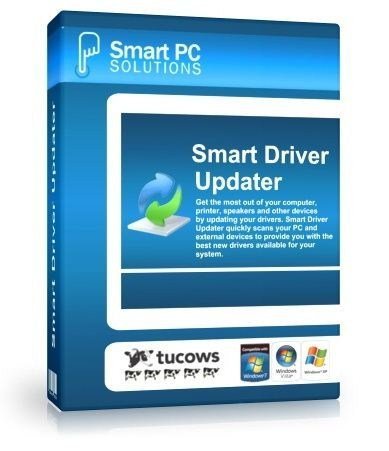
Smart Driver Updater 3.3 DC 25.04.2013 Full Activation | 7 Mb

Outdated drivers can cause a range of problems on your computer from hardware not operating the way it should to complete system crashes. Smart Driver Updater is a simple easy to use solution that automatically finds and updates all your device drivers in just minutes. Your operating system requires drivers to run every hardware device associated with your PC including printers, monitors, keyboards, mice, sound cards, video cards, network card, CD/DVD drivers and more. If you're running outdated drivers your operating system may not be able to communicate properly with that hardware device anymore or you may not be enjoying the full benefit of new features and enhancements.

Identifying which of your hundreds of drivers are outdated and searching for the right driver download can take hours. Inexperienced computer users also risk downloading the wrong version of a driver and causing even more problems.

Smart Driver Updater offers a fast, easy and safe solution for automatically managing and updating your drivers. The program scans your computer and all associated hardware devices and provides a list of all the drivers that need to be updated. With just a single click Smart Driver Updater safely installs each update on your PC. Smart Driver Updater's database contains over 200,000 drivers and is constantly updated ensuring that you always download the most current drivers.

Features & Benefits

Dramatically increase the speed and stability of your devices

Hardware manufacturers are constantly updating their product drivers in order to fix problems or improve performance. Having the correct driver can improve the functionality of your hardware device by as much as 50%. Regular scans with Smart Driver Updater will find and replace outdated or corrupt drivers on your PC ensuring that your system is always fully optimized and running smoothly.

Often the biggest problem faced by users upgrading to Windows 7 is that their existing hardware is not compatible with their new operating system. Smart Driver Updater fixes this problem by automatically finding the problem drivers and downloading the correct version for Windows 7. Smart Driver Updater is the simple solution for a faster more stable PC.

Fast & safe way to update your drivers

Smart Driver Updater has a database of over 200,000 drivers. We are constantly updating and editing the database to make sure that we have the best driver updates available. As a Smart Driver Updater user you will have ongoing access to all database updates ensuring that you are always running the most current drivers for your system.

Backup and Restore

If you're upgrading your operating system or just need to reinstall windows Smart Driver Updater can backup all the drivers on your PC or laptop, compressing them to a zip file that is easy to export and reinstall. Smart Driver Updater's backup and reinstall features can save you hours of searching for and installing individual device drivers.

Easy to use

Our goal is always to design simple easy to use solutions. With just one click Smart Driver Updater analysis your PC and any attached hardware devices immediately identifying outdated drivers and offering the correct new drivers to replace them with. With Smart Driver Updater even the most novice computer users will be able to easily find, replace, backup and restore their device drivers.

Built in Scheduler means that you can set it and forget it!

There is no reason you should ever have outdated drivers causing problems on your computer again. Simply set the built in scheduler to run a scan automatically at start-up or assign it to run at a convenient time on a daily, weekly or monthly bases. Smart Driver Updater let's you know when new driver updates are available for your system so that you are always up to date.


OS : Windows XP, Windows Server 2003, Windows Vista 32-bit, Windows Vista 64-bit, Windows XP 64-bit, Windows 7 64-bit, Windows 2008 Server, Windows 2008 Server 64-bit, Windows 2003 Server 64-bit, Windows 7 32-bit
Language : English/Russian

Home Page - http://www.smartpctools.com/driver_updater/
Password : No

Download Here :
  1. Via Uploaded.to
  2. Via Billionuploads
  3. Via Secureupload
Read more »

Friday, October 25, 2013

PowerISO 5.6 Full Activation | 5 Mb


-------[Description]-----------------------------------
PowerISO was developed to be a powerful CD/DVD image file processing tool, which allows you to open, extract, create, edit, compress, encrypt, split and convert ISO files, and mount these files with internal virtual drive.

PowerISO can process almost all CD-ROM image files including ISO and BIN. It can be used easily, which support shell integration, context menu, drag and drop, clipboard copy paste.


-------[Features]--------------------------------------
Create ISO File:
· Create ISO file or BIN CUE file from hard disc files.
· Create ISO file or BIN CUE file from CD / DVD / BD disc.
· Create bootable ISO image file.
· Detect various CD / DVD / BD image files automatically.
· Support ISO9660, Joliet and UDF file system.
· Support unicode file name.
· Optimize file layout to save disc space.

Edit ISO File:
· Add files to ISO file.
· Delete files in ISO file.
· Rename files in ISO file.
· Modify file's date time in ISO file.
· Add boot information to ISO file to make bootable ISO image file.

Extract ISO File:
· Support ISO file and other popular disc image file, such as BIN / CUE, DAA, UIF, DMG, MDF / MDS, ASHDISC, BWI / B5I, LCD, IMG, CDI, CIF, P01, PDI, NRG, NCD, PXI, GI, FCD, VCD, C2D, BIF and so on.
· Support multi-session disc image file.
· Extract files from ISO file.
· View and run files contained in the ISO file.

Burn ISO File:
· Burn ISO file and other image file to CD-R, CD-RW, DVD-R, DVD-RW, DVD+R, DVD+RW, DVD-RAM, DVD-R DL, DVD+R DL, BD-R, BD-R DL, BD-RE, BD-RE DL.
· Burn Apple DMG files directly to CD / DVD / BD discs.
· Burn files and folders to CD / DVD / BD discs on the fly.
· Burn Audio CD from MP3, WMA, APE, FLAC, WAV, or BIN files.
· Burn Video image file to CD / DVD disc.
· Support two erasing modes for rewritable discs: Full Erasing and Quick Erasing.

Mount ISO File:
· Mount ISO file and other popular image file as virtual drive.
· Support up to 23 virtual drives.

Make Audio Disc:
· Create standard Audio CD.
· Create mixed mode CD.
· Support Audio CD-TEXT.
· Burn mp3, wma, wav, flac and ape files to CD.
· Burn bin / cue, mp3 / cue, wma / cue, wav / cue, flac / cue and ape / cue audio image files to CD.
· Edit existing Audio CD image files.
· Support Playing Audio Tracks within Audio CD image file.

Audio CD ripper:
· Rip audio CD to mp3, wma, wav, flac and ape files.
· Rip audio CD to bin / cue, mp3 / cue, wma / cue, wav / cue, flac / cue and ape / cue audio image files.

ISO and BIN Converter:
· Convert ISO to BIN.
· Convert BIN to ISO.
· Convert Apple DMG files to ISO file.
· Convert all popular images files to ISO file.
· Convert all popular images files to BIN file.

Open / Extract /Edit disk image file:
· Support all popular virtual disc image files, such as VMWare Virtual Disc Images(*.vmdk), VirtualBox Virtual Disc Images(*.vdi), Virtual PC Virtual Disc Images(*.vdi).
· Support all floppy disk image files, such as BIF, FLP, DSK, BFI, BWI, BIN, IMG and so on.
· Support disc image files with FAT12, FAT, FAT32, NTFS and ext2, ext3 partitions.

Create Bootable USB drive:
· Create bootable USB drive for Windows XP, Windows Vista and Windows 7.
· Support USB-FDD, USB-ZIP, and USB-HDD.

Supported CD/DVD disc image types:
· ISO (Generic CD images)
· BIN/CUE
· BIN (CDRWin)
· IMA/IMG (Generic disk images)
· CIF (Easy CD Creator)
· NRG (Nero - Burning ROM)
· IMG/CCD (CloneCD)
· MDF/MDS (Alcohol120%)
· VCD (Farstone Virtual Drive)
· VaporCD (Noum Vapor CDROM)
· P01/MD1/XA (Gear)
· VDI (Virtuo CD Manager)
· C2D (WinOnCD)
· BWI/BWT (BlinkWrite)
· CDI (DiscJuggler)
· TAO/DAO (Duplicator)
· PDI (Instant Copy)
· DMG (APPLE Disk Image)

Supported CD/DVD file systems:
· Standard ISO-9660
· Joliet ISO extension (CDs under Windows 95 and higher)
· RockRidge ISO extension (CDs under FreeBSD, Linux)
· El Torito extension (bootable CDs)
· Univeral Disk Format (UDF)
· XBOX DVD Format
· APPLE HFS
· APPLE HFS+

Easy and friendly interface:
· Support drag and drop.
· Support clipboard copy and paste.
· Support multiple languages.


-------[Requirements]----------------------------------
OS: Windows All
· Note: The internal virtual drive needs Windows2000/XP/2003 or above
· Intel Pentium 166MHz or above
· 64MB memory
· At least 10MB hard disk space


-------[What's New in This Release]--------------------
· Support burning to multiple drives simultaneously.
· Support simulation burning.
· Support viewing drive and disk information.
· Support searching within image file.
· Some minor bug fixes and enhancements.

HomePage - http://www.poweriso.com
Password : No

Download Here :

Via Uploaded.to
Via Letitbit
Via Secureupload
Read more »

Clean Boot என்றால் என்ன?

கணினியில் தவறுகள் (errors) ஏற்படும் போது சில மென்பொருட்களையும், சில Device Driver களையும் நிறுத்தி வைத்து கணினியை Restart செய்து தவறுகளைக் கண்டறியவும், சரி செய்யவும் சிறந்த முறை safe boot ஆகும். இது தவிர safe mode இல் இருந்து சிறிது வேறுபட்டு clean boot தொடக்கப்படுகிறது.
கணினி சாதாரண நிலையில் non-Microsoft background applications and services என்பவை இல்லாது தொடங்கப்படும். முந்தைய பதிவில் Safe Boot பற்றி பார்த்தோம். இந்த பதிவில் Clean Boot பற்றி பார்ப்போம்.
அதாவது boot செய்யப்படும் போது Microsoft services ஐ மட்டும் வைத்து கணினி தொடங்கப்படும்.Clean Boot, XP கணினிகளில் சிறிது சிரமமாகும்.
Start -> Run சென்று msconfig.exe என Type செய்யவும். வரும் கட்டத்தில் “General – Selective startup” என்பதை தெரிவு செய்யவும்.அதில் வரும் Load startup items என்பதை uncheck செய்யவும். (இப்போது அங்கே Load System Services என்பது மட்டும் ஆக்டிவ் ஆகி இருக்கும்) அதன்பின் services என்பதில் சென்று Hide all Microsoft services என்பதை check செய்து, வலது பக்கத்தில் உள்ள Disable all என்பதைக் கிளிக் செய்து OK கொடுக்கவும். இதை முடித்தவுடன் கணினியை Restart செய்யவும்.
இப்படி செய்வதால் இணையம் உட்பட பல வேலை செய்யாது. பிரச்சனைகளை பொறுத்து சில மணி நேரம் தொடர்ந்து கணினியை அப்படியே வைத்திருந்து சில ப்ரொகிராம்களைத் திறந்து வேலை செய்து பார்க்கவும். சரியாக இருந்தால், முன்னர் சொன்ன Msconfig இல் startup என்பதில் சென்று, சிலவற்றை ஆக்டிவ் செய்து Restart செய்து பார்க்கவும். இப்படி செய்வதன் மூலம் எதை ஆக்டிவ் செய்யும் போது, கணினியில் தவறு ஏற்படுகிறது என்பதை கண்டறிந்து சரி செய்யலாம்.
இந்த நிலையில் windows Installer வேலை செய்யவில்லை என error செய்தி வந்தால் Start -Computer இல் வலது கிளிக் செய்து manage -> Services and Applications –> Services -> Windows Installer என்பதை Start செய்து கொள்ளலாம். சரி செய்த பின் மீண்டும் msconfig சென்று Selective startup என்பதை நீக்கி மீண்டும் normal startup ஐ ஆக்டிவ் செய்து கொள்ளலாம்.
sw12
கணினியில் தவறுகளை முதலில் கண்டறிந்து, safe mode, clean boot செல்வது சிறந்ததாகும். முக்கியமாக தவறுகளின் பட்டியலை event viewer இலும், Minidump files களிலும் கண்டறியலாம். Minidump files என்றால், கணினியில் ஏற்படும் தவறுகளை, error-crash, blue screen of death, BSOD போன்றவற்றை சிறிய தகவல்களாக தரும் கோப்பாகும். இந்த minidump files களை BlueScreen View, ஸ்கேன் செய்து ஒரு தகவல் பட்டையாக தருகின்றது.
கணினி/மடிகணினி அதிகம் சூடாவதால் இம்மாதிரி ஆனால் பிரச்சினைகளை தவிர்க்க கணினியில் உள்ள CPU, GPU (CPU ~60-65C ;GPU ~ 65C ) வின் வெப்ப நிலையையும் நாம் கவனத்தில் கொண்டு heatsink, cooling fan களை சுத்தமாக வைத்திருக்க வேண்டும்.

Read more »

Thursday, October 24, 2013

Internet Download Manager v6.15 Build 9 Final Full Activation | 5 Mb

Internet Download Manager v6.15 Build 9 Final
Internet Download Manager (IDM) is a tool to increase download speeds by up to 5 times, resume and schedule downloads. Comprehensive error recovery and resume capability will restart broken or interrupted downloads due to lost connections, network problems, computer shutdowns, or unexpected power outages. Simple graphic user interface makes IDM user friendly and easy to use.Internet Download Manager has a smart download logic accelerator that features intelligent dynamic file segmentation and safe multipart downloading technology to accelerate your downloads. Unlike other download managers and accelerators Internet Download Manager segments downloaded files dynamically during download process and reuses available connections without additional connect and login stages to achieve best acceleration performance.

Internet Download Manager supports proxy servers, ftp and http protocols, firewalls, redirects, cookies, authorization, MP3 audio and MPEG video content processing. IDM integrates seamlessly into Microsoft Internet Explorer, Netscape, MSN Explorer, AOL, Opera, Mozilla, Mozilla Firefox, Mozilla Firebird, Avant Browser, MyIE2, and all other popular browsers to automatically handle your downloads. You can also drag and drop files, or use Internet Download Manager from command line. Internet Download Manager can dial your modem at the set time, download the files you want, then hang up or even shut down your computer when it's done.

Other features include multilingual support, zip preview, download categories, scheduler pro, sounds on different events, HTTPS support, queue processor, html help and tutorial, enhanced virus protection on download completion, progressive downloading with quotas (useful for connections that use some kind of fair access policy or FAP like Direcway, Direct PC, Hughes, etc.), built-in download accelerator, and many others.

Version 6.15 adds Windows 8 compatibility, adds IDM download panel for web-players that can be used to download flash videos from sites like YouTube, MySpaceTV, and Google Videos. It also features complete Windows 7 and Vista support, YouTube grabber, redeveloped scheduler, and MMS protocol support. The new version also adds improved integration for IE 10 and IE based browsers, redesigned and enhanced download engine, the unique advanced integration into all latest browsers, improved toolbar, and a wealth of other improvements and new features.

Features
* All popular browsers and applications are supported!
* Download Speed Acceleration
* Easy downloading with one click
* Download Resume
* YouTube grabber
* Simple installation wizard
* Automatic Antivirus checking
* Built-in Scheduler
* Drag and Drop
* Advanced Browser Integration
* IDM includes web site spider and grabber
* Customizable Interface
* IDM supports many types of proxy servers
* IDM supports main authentication protocols: Basic, Negotiate, NTLM, and Keberos
* Download All feature
* Download limits
* IDM is multilingual
* Quick Update Feature
* Download Categories
* Dynamic Segmentation

What's new in version 6.15 Build 9?
(Released: Apr 25, 2013)
- Updated extension for Google Chrome
- Fixed bugs

System Requirements
Windows 7, Windows 2003, Windows Me, Windows 98, Windows 2000, Windows 8, Windows Vista, Windows XP, Windows NT, Windows Server 2008.

Password : No

Download Here :
  1. Via Uploaded.to 
  2. Via Tusfiles 
  3. Via Secureupload 
Read more »

Monday, October 21, 2013

48 வேலைகள் செய்யும் ஒரே மென்பொருள்

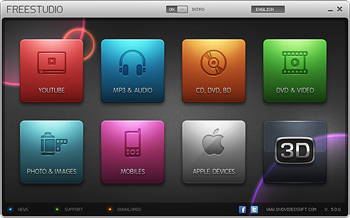
நாம் ஒவ்வொரு வேலைக்கும் ஒரு மென்பொருள்களை பயன்படுத்துகிறோம். இந்த பதிவில் நாம் பார்க்கும் மென்பொருள் 48 வேலைகளை செய்கின்றது. இதுஒரு இலவச மென்பொருள் என்பது குறிப்பிடதக்கது.


இதன் புதிய பதிப்பு Free Studio 2013

இதன் பல்வேறு பயன்பாடுகளை கிழே பார்த்து தெரிந்து கொள்ளவும்.

Free YouTube Download
Free YouTube to MP3 Converter
Free YouTube to iPod and PSP Converter
Free YouTube to iPhone Converter
Free YouTube to DVD Converter
Free YouTube Uploader
Free Uploader for Facebook

Free Video to Android Converter
Free Video to Apple TV Converter
Free Video to BlackBerry Converter
Free Video to HTC Phones Converter
Free Video to iPad Converter
Free Video to iPod Converter
Free Video to iPhone Converter
Free Video to LG Phones Converter
Free Video to Motorola Phones Converter
Free Video to Nintendo Converter
Free Video to Nokia Phones Converter
Free Video to Samsung Phones Converter
Free Video to Sony Phones Converter
Free Video to Sony Playstation Converter
Free Video to Sony PSP Converter
Free Video to Xbox Converter
Free Video to Tablet PC Converter

Free DVD Video Converter
Free Video to DVD Converter
Free Video to Flash Converter
Free 3GP Video converter
Free Video to MP3 Converter
Free Video to JPG Converter
Free Audio Converter
Free Audio to Flash Converter
Free WebM Video Converter
Free MP4 Video Converter
Free AVI Video Converter
Free HTML5 Video Player and Converter

Free DVD Video Burner
Free Disc Burner
Free Audio CD Burner
Free Audio CD to MP3 Converter

Free Screen Video Recorder
Free Image Convert and Resize
Free Video Dub
Free Audio Dub
Free Video Flip and Rotate

Free 3D Photo Maker
Free 3D Video Makerre on facebook
Share on twitterShare on emailShare on printMore Sharing Services
Read more »

Friday, October 18, 2013

Safe Mode (Safe Boot) எனப்படும் பாதுகாப்புமுறை தொடக்கம் என்றால் என்ன?

Safe Mode என்ற வார்த்தையை விண்டோஸ் கணினிகளை பயன்படுத்தும் நபர்கள் அனைவரும் அறிந்திருப்பார்கள். Safe Mode என்றால் என்ன, எப்படி அதற்குள் நுழைவது, அதில் என்ன செய்யலாம் போன்ற தகவல்களை இந்த பதிவில் காணலாம். 
Pull oneself up by the bootstraps என்று முதலில் சொல்லப்பட்டு, பின் bootstraps என்றும் பின் boot எனவும் மாறியது. நிறுத்தப்பட்ட கணினி தொடங்கப்படுவதை cool boot எனவும், இயங்கிக் கொண்டிருக்கும் கணினியை மீளத் தொடக்குவதை அதாவது reset செய்வதை warm boot (ctrl+alt+del) என்றும் சொல்லப்படுகிறது. Cool Boot, Warm Boot தவிர Safe Boot, Clean Boot, multi boot, dual boot, ready boot, fast boot என பலவகை உண்டு.
கணினியை பயன்படுத்தும் நமக்கு safe mode என்பதை சொல்ல வேண்டிய அவசியம் கிடையாது. எனினும் அதிகம் அறியாதவர்களுக்காக சில தகவல்கள்.சில தவறுகள் (errors), தடைகள் (hangs,freezes) வரும் போது நாம் உடனே செல்வது கணினி மீள்தொடக்கம் (Restart) அல்லது பாதுகாப்பான தொடக்கம் (safe boot/safemode) தான். சேவ் மோட் என்று சொல்லும் போது கணினி இயங்க முக்கியமாக தேவைப்படும் சில தொடக்க நிரலிகளுடனும் ட்ரைவர்களுடனும் (startup program+device driver) கணினியை தொடக்குவது ஆகும். கணினியை மீள் தொடக்கும் போது F8 என்பதை தொடர்ந்து அழுத்துவதால் வரும் option இல் இவற்றைக் காணலாம். அல்லது கணினி தொடங்கியதும், மின்சார இணைப்பை துண்டித்து பின் தொடக்கும் போது, சாதாரணமாக தொடக்குவதா சேவ் மோடா என பல கேள்விகளுடன் ஒரு option வரும். இதைவிட இன்னொரு முறை start-run (search) இல் msconfig என்பதை தட்டச்சிட்டு வரும் விண்டோவில் safemode ஐத் தெரிவு செய்து மீள் தொடக்கலாம். Safe Mode இன் போது கீழ்க் கண்டவை செயலில் இருக்காது.
+autoexec.bat or config.sys files
+device drivers
+normal graphics device driver ற்குப் பதில் standard VGA graphics mod ஐப் பயன்படுத்தும்.
+standard system.ini file ற்குப் பதில் system.cb பயன்படுத்தும்.
+ 640 x 480 resolution உடன்16 நிறங்களைப்(colors) பயன்படுத்தி நான்கு மூலைகளிலும் Safe Mode எனக் காட்டும்.
windows-safe-mode-desktop
இந்த safe mode இல் Safe Mode, Safe Mode with Networking, Safe Mode with Command Prompt என மூன்று பிரிவுகள் உண்டு. safe mode என்பது சாதாரணமாக( basic Safe Mode ) கணினியில் ஏற்படும் தவறுகளைக் கண்டறியலாம். இரண்டாவது safe mode இல் சென்று இணையத்துடன் தொடர்பை ஏற்படுத்தி தவறுகளைக் கண்டறியலாம். அதே சமயம் தேவையான ட்ரைவர்களை, அப்டேட்களை, சில அழிந்து போன கோப்புகளை(dll files -மால்வெயர்,வைரஸ் இருக்கக்கூடும் என்பதால் தரவிறக்குவதில் கவனம் தேவை) அங்கே இருந்து கொண்டே தரவிறக்கி சரி செய்யவும். மூன்றாவது safe mode இல் இருந்து கொண்டே command line இல் (DOS mode) சென்று தவறுகளை கண்டறியலாம். இதில் சில உத்தரவுகளை (chkdsk,sfcscan,disk dir….இப்படி) கொடுத்து சரி செய்யவும் வழி செய்கிறது. (மொபைல்களில் உள்ள safe mode இல் ஆரம்பத்தில் இருந்த நிலைக்கு கொண்டு சென்று சரி செய்ய, தவறாக இணைக்கப்பட்ட மென்பொருள், apps களின் settings சரி செய்து திருத்த, பாதுகாப்பிற்காக புதிய app ஐ இணைக்க என உதவுகிறது.)
இது தவிர சில மென்பொருட்கள்,பிரவுசர்களிலும் safe mode தவறுகளைக் கண்டறிந்து சரி செய்ய பயன்படுத்தப்படுகிறது.
இந்த சமயத்தில் Boot பற்றி இன்னொரு தகவலையும் உங்களுக்காக தருகிறேன். விண்டோஸ் கணினிகளில் சிலர் XP, Vista, Win7, Win8 இப்படி பல இயங்குதளங்களை நிறுவி, multiboot/dual boot, முறையில் பயன்படுத்துவார்கள். புதியவர்கள் இப்படி நிறுவும் போது சில பிரச்சனைகளை எதிர்நோக்குவார்கள். கணினியில் XP கணினிகளில் வின் 7/8 ஐ அல்லது Wndows 7 கணினியில் XP ஐ நிறுவி விட்டு boot செய்யும் போது ஏதாவது ஒரு இயங்குதளம் காணாமல் அல்லது boot ஆகாது போய்விடும்.Windows 7 கணினியில் Old Windows என ஒரு தனியான போல்டரில் சேமிக்கப்படுகிறது. இப்படி ஏன் வருகிறது?
விஸ்டாவிற்கு முந்தைய அதாவது Windows NT ஐ அடிப்படையாகக் கொண்ட(Windows XP போன்ற) இயங்குதளங்களில் NTLDR (New Technology Loader ) முறையில் boot செயல்படுத்தப்பட்டுள்ளது. இந்த முறைக்குப் பதிலாக Windows 7 இல் (Windows Boot Manager + winload.exe முறை அறிமுகப்படுத்தப்பட்டுள்ளது. NTLDR ஐ Windows 7 ஐ தொடக்க முடியாதது தான் காரணமாகும். இதற்கு நாமாக சிறிது மாற்றம் கொண்டு வர வேண்டும்.


Read more »

Monday, October 14, 2013

Your Uninstaller! Pro 7.5.2013.02 DC 25.04.2013 Full Activation | 6 Mb

Your Uninstaller! uninstaller software is the industry's leading uninstaller software. It's the world's 1st smart Drag&Uninstall™ uninstaller software under the Windows platform, works on Windows 7/ Vista/ XP/. It's as easy as using the recycle bin. Imagine! Just a drag-drop and the program you don't want will disappear from your computer - as well as everything the unwanted program brings! Your Uninstaller! is a user-friendly way of removing unneeded applications on your computer. It can even remove some annoying spywares!

Your Uninstaller! software is a specially designed uninstaller program for both beginning and advanced users. Your Uninstaller! is extremely very fast and easy to use. It has a unique ability to uninstall items by simply dragging programs' icons into the Your Uninstaller! icon. You may also find the application you want to uninstall through a unique search function.

Your Uninstaller! completely removes applications so quickly. Your Uninstaller! starts up 500%-1000% times faster than other Add/Remove programs. As you know, there are many installers in the world, such as InstallShield, Wise Installer, Microsoft Installer and many others. Most applications are built using these installers. Each installer has a unique install database, which makes it difficult to find all the changes programs' make to your computer. That's why other uninstallers can only uninstall part of an application-leaving some files and registry keys.

To solve this problem, Your Uninstaller! uses it's unique technique: SmartUninstall™ has a database containing information about all installers on the market; so when it uninstalls a program, it automatically detects which installer the application used, then it simply uninstalls the application properly. That's the reason Your Uninstaller! can detect and completely remove all the programs and icons on your computer.

Key features:
• Completely remove any application installed.
• Deep scan of registry and entire disk for unused registry entries and files.
• Remove programs that could not be removed by Add/Remove Program.
• Uninstall screen savers. [PRO]
• Remove internet surfing traces.
• Backup and restore registry.
• Registration key management.
• Built-in Disk Cleaner helps you find and remove unnecessary files on your disk to save space and make computer faster! [PRO]
• Built-in IE Context Menu Cleaner, cleans the context menu of Internet Explorer. [PRO]
• Built-in Startup Manager, take full control of Window startups. [PRO]
• Fix invalid desktop shortcuts and start menu shortcuts.
• Get the applications detail info even if it hide itself in deep directory, especially useful for finding out "Spy" applications. [PRO]
• Backup/restore installed-applications information.
• Uninstall with SINGLE drag-drop! Just drop a file on Your Uninstaller! icon on the desktop to see what happens! [PRO]
• List installed applications with appropriate icons(same as you see in the Start Menu), you can easily find the application you want to uninstall.
• Powerful search feature allows you quickly find the program you are about to uninstall.
• Automatic detection of invalid installations and removing them with one click.
• Force removal of uninstall related entries in the registry(care to use!). [PRO]
• Lighting speed at startup, 5-10 times faster than Add/Remove Program of Windows XP!
• Export programs list to file or printer.
• More ...

Home Page - http://www.ursoftware.com/uninstaller.htm
Password : No

Download Here :
  1. Via Uploaded.to
  2. Via Tusfiles
  3. Via Secureupload
Read more »

Saturday, October 12, 2013

MS Officeக்கு மாற்றாக சில இலவச மென்பொருட்கள்

நாம் அனைவரும் MS Office தான் அதிகமாக உபயோகிக்கிறோம். நாம்  Project செய்யும் பொழுதோ அல்லது presentation செய்யும் பொழுதோ MS Office ஐ தான் பெரிதும் சார்ந்து இருக்க வேண்டியுள்ளது. ஆனால் இறுதி கட்டத்தில் MS Office இல் ஏதாவது பிரச்சனை என்றாலோ அல்லது நாம் பயன்படுத்த வேண்டிய கணினியில் MS Office இல்லாவிட்டாலோ பிரச்சினை தான். அதை தவிர்க்க, தரவிறக்கம் செய்யவும் குறைந்த அளவில் இலவசமாக கிடைக்கும் சில மாற்று மென் பொருட்கள் குறித்து பார்ப்போம்.

உபயோகப்படுத்துவதற்கு மிகவும் எளிதானது, முற்றிலும் இலவசமானது, MS Office கோப்புகளை இதில் எந்த Extension மாற்றமும் செய்யாமல் ஓபன் செய்யலாம். இதுவும் ஒரு Open Source மென்பொருள்.
அதிக Tool களை கொண்டது இந்த மென்பொருள், பயன்படுத்துவதற்கு எளிதானது, நிறைய  Tool களை கொண்டதால் பயன்பாடும் அதிகம். முற்றிலும் இலவசமானது. மொத்தம் மூன்று பயன்பாடுகளை உள்ளடக்கியது. Lotus Symphony Documents, Lotus Symphony Spreadsheets and Lotus Symphony Presentations.
குறிப்பிடத்தக்க மற்ற சில இலவச மென்பொருட்கள்:
தவறாமல் இதில் எதோ ஒன்றை Back up ஆக வைத்துகொள்ளுங்கள்.
ஆன்லைன் ஆபீஸ் டூல்ஸ் :
தரவிறக்கம் செய்யவெல்லாம் எனக்கு நேரம் இல்லை, என்ன செய்வது என்று கேட்பவர்கள் இந்த ஆன்லைன் டூல்களை பயன்படுத்தலாம்.
Word processor, Spreadsheet, மற்றும் Presentation போன்றவற்றை இதன் மூலம் ஆன்லைனில் செய்து கொள்ளலாம். அத்தோடு Business Cards, Resumes, Calendars and Tables போன்றவற்றுக்கு நூற்றுக்கும் மேற்ப்பட்ட Template-கள் உள்ளன. இதை பயன்படுத்த ஜிமெயில் அக்கௌன்ட் மட்டும் போதும்.
2. Zoho
இது Word Document, Spreadsheet, மற்றும் Presentation போன்றவற்றை தனிப்பட்ட தேவைக்கு இலவசமாக ஆன்லைன் மூலம் உருவாக்க அனுமதிக்கிறது. இதற்கு நீங்கள் இந்த தளத்தில் கணக்கு வைத்திருக்க வேண்டும்.
Read more »